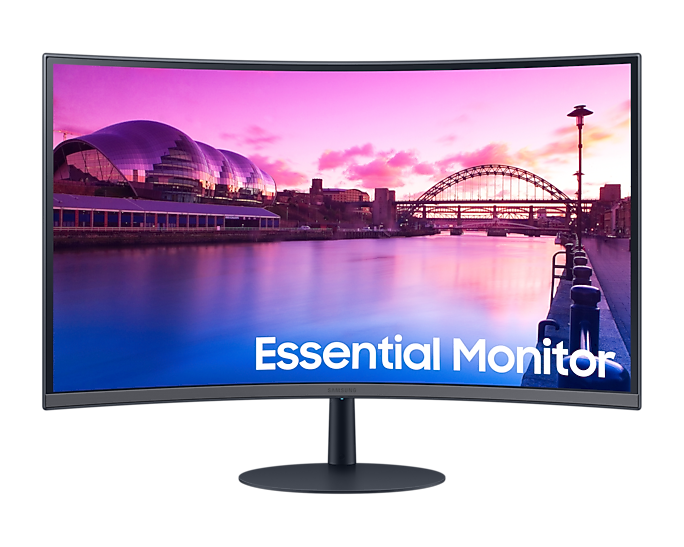
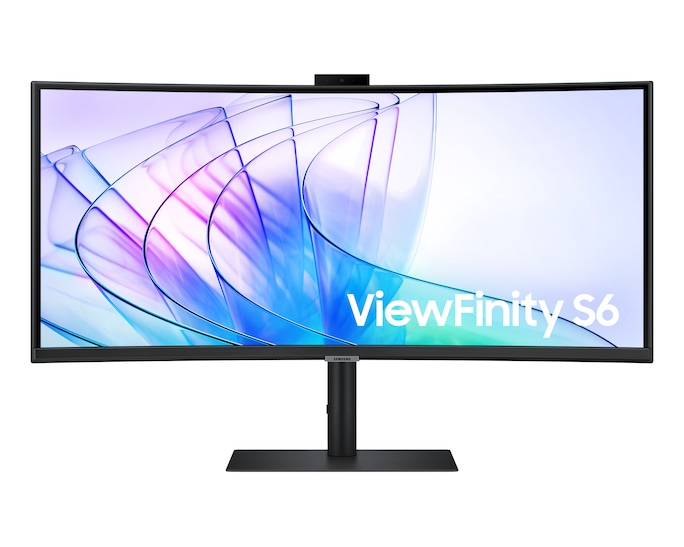
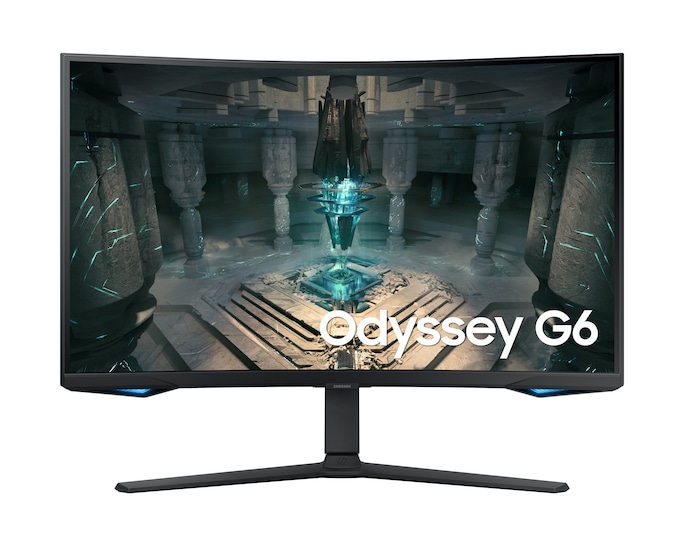
Description Samsung 32″ Curved Monitor(LS32C390EAMXUE) Samsung 32″ Curved Monitor is priced at Kes 33,700 here at Novelty Tech Solution in Nairobi, Kenya Key Specifications Feature Specification Model Series Samsung Curved Monitor Series Model Code LS32C390EAMXUE Display Size 31.5 inches (viewable image diagonal) Aspect Ratio 16:9 (Widescreen) Curvature 1000R (Deep Curvature) Resolution Full HD (FHD): 1920 x 1080 pixels Panel Technology VA (Vertical Alignment) Refresh Rate 60 Hz (Standard) Response Time 4ms GtG (Gray to Gray) Brightness 250 cd/m² (typical) Contrast Ratio 3,000:1 (Static) Viewing Angles 178° (H) / 178° (V) Adaptive Sync AMD FreeSync Eye Comfort Flicker-Free, Eye Saver Mode (Low Blue Light) Inputs/Ports 1x HDMI 1.4, 1x VGA (D-Sub) Audio N/A (No built-in speakers) Adjustability Tilt Only VESA Mount Yes, 75mm x 75mm Design Glossy Black Finish, Slim Bezels Detailed Features and Performance 1. The Key Feature: 1000R Curvature What it means: The “R” stands for Radius. A 1000R curvature means the curve has a radius of 1000mm, which is considered the “gold standard” for matching the field of view of the human eye. Benefits: Immersiveness: Wraps the image around you, reducing peripheral distractions and pulling you into the content. Reduced Eye Strain: By minimizing the need for your eyes to refocus across a large flat screen, the deep curve can help reduce eye fatigue during long work sessions. Consistent Viewing Distance: Every part of the screen is roughly the same distance from your eyes, ensuring consistent image quality and focus. 2. Display Quality Resolution & Sharpness: This is the most important consideration. A 32-inch screen with a Full HD (1920×1080) resolution results in a low pixel density (around 70 PPI). This means individual pixels are quite noticeable if you sit close to the monitor. Text and images will not be as sharp as on a smaller FHD screen or a higher-resolution (QHD/4K) 32-inch monitor. It is best viewed from a distance of at least 80cm-1m. Panel Type – VA: The VA panel is a great choice for this monitor due to its high native contrast ratio (3000:1). This, combined with the curve, enhances the perception of depth and produces deeper blacks, making it well-suited for movie watching and gaming in darker environments. Color Performance: Covers standard sRGB color space adequately for everyday tasks and entertainment. It is not designed for color-critical professional work. 3. Performance & Features Refresh Rate: Standard 60 Hz. This is sufficient for office work, web browsing, and casual gaming but is not aimed at gamers seeking high-refresh-rate performance. AMD FreeSync: Despite being a 60Hz monitor, it includes AMD FreeSync support. This helps to eliminate screen tearing and stuttering within the 48-60Hz range, providing a smoother experience in games where the frame rate fluctuates. Eye Care: Features Flicker-Free technology and an Eye Saver Mode that reduces blue light emissions to minimize eye strain during long periods of use. 4. Design and Connectivity Design: Features a glossy black finish and slim bezels on three sides, giving it a modern aesthetic. Ports: The port selection is basic, with one HDMI and one legacy VGA port. Note the absence of a DisplayPort. No Speakers: This monitor does not have built-in speakers. Stand & Ergonomics: The stand is very basic, offering only tilt adjustment. It does not allow for height, swivel, or pivot adjustments. The 75x75mm VESA mount provides the option to use a monitor arm for better ergonomics. Pros and Cons Pros: Highly Immersive 1000R Curvature: The main attraction, providing a comfortable and engaging viewing experience. Excellent Contrast Ratio: The VA panel delivers deep blacks, great for movies and general use. Large Screen Size: Offers ample screen real estate for multitasking. Eye Comfort Features: Flicker-Free and Low Blue Light modes are beneficial for long work sessions. AMD FreeSync: A welcome addition for smoother casual gaming. Cons: Low Pixel Density: The 32-inch FHD resolution is the biggest drawback, resulting in less sharp text and images unless viewed from a distance. Basic 60Hz Refresh Rate: Not suitable for gamers wanting a high-refresh-rate experience. Limited Ergonomics: Tilt-only stand is restrictive. No Built-in Speakers: Requires external audio. Limited Ports: Lacks a DisplayPort connection. Who Is This Monitor For? Office Workers & Students: The curvature can reduce eye strain during long hours of document work, coding, or research. Casual Media Consumers: Excellent for watching movies and YouTube due to the immersive curve and high contrast. Casual Gamers: Those who play slower-paced, single-player games and value immersion over high frame rates. Users who sit at a proper distance: Ideal for those who can maintain a viewing distance of 1 meter or more to mitigate the low PPI. Who Should Avoid It? Users Who Need Sharp Text/Images: Graphic designers, video editors, or anyone who prioritizes pixel-perfect sharpness should avoid this and consider a 32-inch QHD (1440p) or 4K monitor. Competitive Gamers: Require high refresh rates (144Hz ). Professionals Needing Color Accuracy: Requires a monitor with a wider color gamut and factory calibration. Users with Limited Desk Space: Sitting too close to a 32″ FHD monitor will make the lack of sharpness very apparent. Conclusion The Samsung 32″ LS32C390EAMXUE is a monitor built around a single, compelling feature: the 1000R deep curve. It excels at providing a comfortable and immersive experience for general computing and media consumption. However, its low pixel density at 32-inch FHD is a significant compromise that cannot be overlooked. Verdict: Choose this monitor if you value immersion and eye comfort for long work or entertainment sessions and are not sensitive to the relatively soft image quality of a large 1080p screen. If screen sharpness is your priority, a smaller monitor or a higher-resolution 32-inch panel is a must.